
Clipfly - AI Baby Dance Video
AI Art Photo Editor | Everimaging Ltd.Art & Design
4.168.00 Reviews
- Version
- 1.1.18.62
- Installs
- 100.00K
- Age Rating
- Everyone
Screenshots
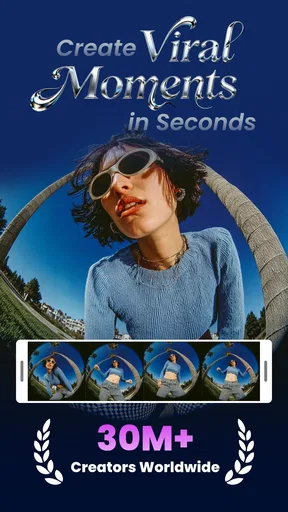
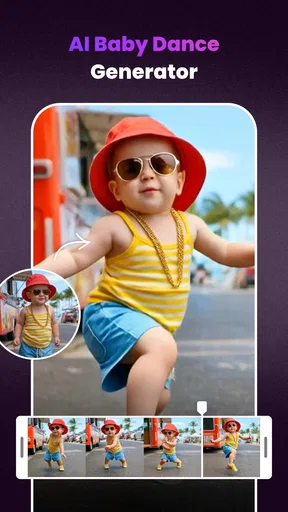
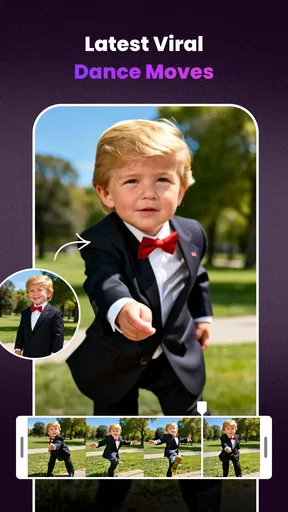
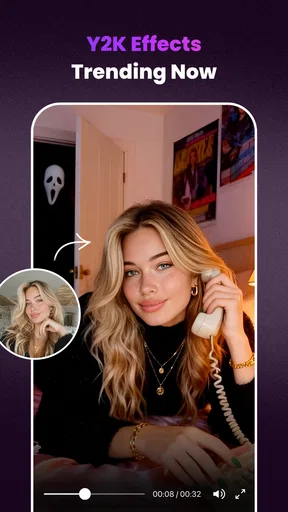
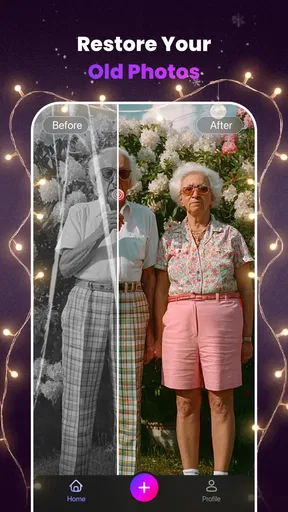
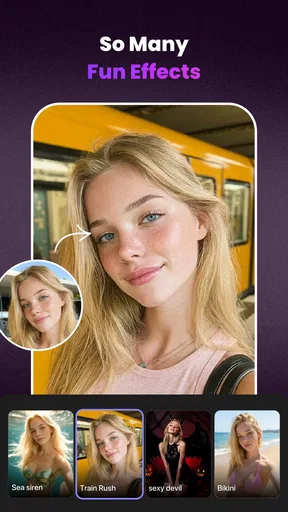
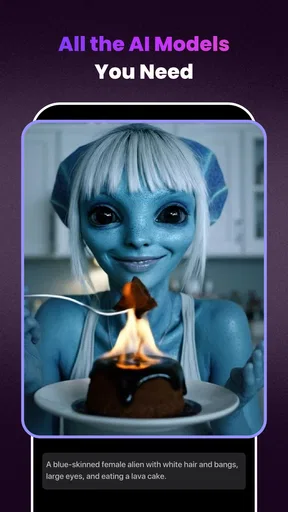
Our Review of Clipfly - AI Baby Dance Video
 Analysis by Appyee
I’d treat Clipfly as a playful video-making tool rather than a dependable way to document every family moment. Its appeal is the transformation: start with a short clip or image of a baby, then use AI-driven effects to create something designed for a laugh or a quick share. That makes it most useful when I have a specific idea in mind, not when I simply want a general-purpose editor with precise control over every cut.
Where the connection becomes part of the workflow
AI video creation can involve more than tapping an effect and watching it appear. In practice, the important question is whether the app can move smoothly from choosing source material to processing a result and saving or sharing it. I’d plan to use Clipfly when I have a reasonably steady connection, especially for a project I want to finish promptly. A weak signal can turn a quick creative break into a stop-and-start task, so I wouldn’t begin an elaborate edit while rushing between places.
That matters particularly for a family clip. I’d first choose a clear, well-lit source and decide what I want the finished video to do: make relatives laugh in a private chat, create a birthday greeting, or produce a short social post. Having that decision made before opening the editing tools cuts down on aimless experimenting, and it gives me a better basis for judging whether the generated result is worth keeping.
Good moments to make a short clip
A realistic use is turning a few seconds from a family gathering into a playful message for grandparents. I’d pick a moment where the child is visible and not obscured by other people, try one treatment, and review the output before sending it. That small check is worthwhile: AI effects can create an amusing surprise, but the result may not match the expression or movement I had in mind. A draft is a better choice than immediately posting a first attempt to a public feed.
The app can also suit someone making lighthearted content for a small social account, provided they are comfortable using a child’s image in that context. It is less suitable for a parent who wants a carefully trimmed family archive, detailed timeline editing, or fine control over sound and transitions. For those jobs, a conventional video editor is usually the more practical choice; Clipfly’s attraction is the novelty of AI-led transformations, not the depth of a traditional editing workspace.
Keep the source and the finished version manageable
One useful habit is to keep the original clip until I’ve checked the generated version and saved the result I actually want. AI processing is a creative step, not a replacement for the source, and holding onto the original gives me another chance if the effect looks awkward or I want to try a different treatment later. I’d also avoid feeding it a long recording when a short, focused moment will communicate the idea more clearly.
For parents, the sharing decision deserves as much thought as the filter. A funny video can feel harmless in a family conversation, but a child’s image may travel further once it is posted publicly. I’d choose the audience deliberately, avoid including identifying details in captions, and use direct sharing only with people I trust. That is sensible practice for any child-focused creative app, not a feature claim about Clipfly.
Who will enjoy it—and who may prefer another editor
Clipfly is a better fit for people who enjoy experimenting and can accept that AI output is not always perfectly predictable. It gives casual creators a way to make a familiar photo or clip feel new without first learning a full editing suite. If I were creating a polished project for a client, preserving exact movement, or assembling a longer family film, I’d reach for an editor built around manual control instead.
It is also worth setting expectations before downloading. The app is free to install, but it includes in-app purchases, so I’d check the available options and any costs shown in the app before committing to a repeated workflow. A free starting point can be handy for trying the basic experience, while frequent creators should decide whether the paid choices make sense for how often they will actually use them.
On Android, Clipfly is listed as suitable for everyone and requires Android 7.0 or later. It was released on December 19, 2024, and the current version is 1.1.16.58. Those details help with compatibility, but they do not tell me how every individual phone will handle AI processing; I’d keep the app updated and allow enough time to review an export rather than relying on a last-minute result.
The app comes from AI Art Photo Editor | Everimaging Ltd. and sits in the art-and-design space, where its creative focus makes more sense than treating it as a standard camera or archive app. Its average rating is 4.1 from around four thousand ratings, with sixty-six written reviews, and it has been installed over one hundred thousand times. I see that as a sign of a modest, established audience—not proof that every generated clip will suit every family.
For anyone deciding whether to try it, the practical questions are simple: can I provide a suitable source image or video, am I comfortable with an AI-generated interpretation, and do I have a connection and enough time to review the result? If the answer is yes, a small test project is the sensible way to learn the workflow. If I need guaranteed realism, detailed editing controls, or an offline-first tool, I’d choose a different approach rather than expecting this app to behave like a conventional editor.
Let me tell you about a delightful little app that’s been making waves among parents and social media aficionados alike: Clipfly - AI Baby Dance Video. This app takes the charm of your baby’s cuteness and mixes it with some serious AI magic to create dance videos that are as entertaining as they are adorable. If you love sharing your little one’s antics with family and friends, or if you just want to giggle at a perfectly synchronized baby dance-off, this app might just be your new best friend.
Getting Started with Clipfly
First things first, downloading Clipfly - AI Baby Dance Video is a breeze. Available for both Android and iOS, you can find it on all the major app stores. Once you’ve got it installed, the fun truly begins. The interface is super user-friendly, which is a relief because the last thing a sleep-deprived parent needs is more complexity. Just a few taps and you’re ready to start capturing your little star’s moves.
The Magic of AI Editing
What sets Clipfly apart from other video editing apps is its clever use of AI technology. After you’ve recorded a video of your baby, the app processes it using its AI algorithms to detect movements and sync them to a variety of dance tracks. And trust me, the results are hilariously delightful. The AI does a fantastic job of matching beats and creating energetic dance routines that seem almost too good to be true.
The app offers a range of music genres, from pop to hip-hop and everything in between, ensuring there’s a tune for every tiny dancer. Plus, the editing is swift, meaning you won’t be waiting around forever before you can share your creation.
Customization and Sharing
Once you’ve got your video, Clipfly allows for a bit of personalization. You can add fun filters, cute stickers, and even text to make your video stand out. Whether you want to add a funny caption or sprinkle some sparkles over your baby’s dance floor, the options are there to play with.
Sharing is also a breeze. The app connects seamlessly with social media platforms, so uploading your baby’s dance debut to Instagram or Facebook is just a tap away. You can also save it to your device or send it directly via messaging apps to family members who need a dose of cuteness.
Why Parents Love It
Clipfly is more than just a novelty. It’s a great way to capture and enhance moments that might otherwise just sit in your phone’s gallery. The app is designed to entertain and engage, making it a hit with parents who are looking for creative ways to document their child’s early years.
Parents have expressed how much they enjoy the laughter and joy these videos bring. Plus, with the ease of use and quick editing times, even the busiest of parents can find a moment to create a memory. It’s not just about the end product, but the fun of making it too.
Final Thoughts
In a world where capturing and sharing moments is second nature, Clipfly - AI Baby Dance Video stands out as a tool that enhances those everyday memories with a sprinkle of AI brilliance. It’s fun, easy, and delivers results that are sure to bring a smile to anyone’s face.
If you’re a parent looking to add a bit of extra flair to your baby videos, or if you’re simply someone who loves a good chuckle at a baby’s dance moves, I’d highly recommend giving Clipfly a try. It’s a simple download away, and who knows? Your little one might just become the next viral dance sensation.
Verdict
Strengths of Clipfly - AI Baby Dance Video
- Easy-to-use interface for quick edits.
- Wide variety of dance styles available.
- AI auto-syncs music seamlessly.
- No prior editing skills required.
- Share directly to social media platforms.
Limitations of Clipfly - AI Baby Dance Video
- Limited free features, premium needed.
- Occasional lag on older devices.
- Watermark on free version videos.
- In-app ads can be intrusive.
- Limited customization for advanced users.
Other Releases by AI Art Photo Editor | Everimaging Ltd.
View All
Fotor–AI Photo Editor & Filter
Photography4.3
Similar Picks in This Category
View All
Canva: AI Photo & Video Editor
Canva4.8

PENUP – Drawing-sharing SNS
Samsung Electronics Co., Ltd.4.5

Crafto
Kutumb App4.6

Sketchbook
Sketchbook4.1

ibis Paint X
ibis inc.4.5

Adobe Express: AI Photo, Video
Adobe4.6
Frequently Asked Questions
What is Clipfly - AI Baby Dance Video?
Clipfly - AI Baby Dance Video is an innovative app that uses AI technology to create adorable dance videos featuring your baby. By analyzing movements and syncing them with popular music tracks, the app generates entertaining and shareable clips of your little one grooving to the beat. It’s a fun way to capture special moments.
How does the AI technology work in Clipfly?
The AI in Clipfly analyzes video footage of your baby and identifies key movement patterns. It then synchronizes these movements with music tracks, creating a seamless and entertaining dance video. The technology is designed to be user-friendly, requiring minimal input to deliver high-quality results.
Is Clipfly safe to use for my baby’s videos?
Yes, Clipfly prioritizes user privacy and safety. The app stores videos locally on your device, ensuring that your baby’s footage is not accessible to unauthorized parties. Additionally, no personal data is shared without your consent, making it a secure choice for parents.
What features are included in the Clipfly app?
Clipfly offers a variety of features, including AI-powered video editing, a library of popular music tracks, and easy social media sharing options. Users can also customize videos with filters and effects, making each clip unique and personalized to capture your baby’s best dance moments.
Are there any costs associated with using Clipfly?
Clipfly is available as a free download with basic features. However, for access to premium music tracks and advanced editing options, users can opt for in-app purchases or a subscription model. These options provide enhanced functionality for creating even more engaging and entertaining dance videos.
